Aqara FP300 not working: sensor frozen, presence stuck — firmware 6542 causes and fixes 2026
Is your Aqara FP300 frozen, with presence stuck on “detected”? That is a known regression in Zigbee firmware 0.0.0_6542, rolled out from May 2026: the sensor still answers when you query it, but it stops sending its automatic reports, and neither the LED nor the button responds. The working workaround is not inside the Aqara app — it is an external Zigbee2MQTT converter (or a ZHA quirk) loaded on the Home Assistant side. Here is the fix, symptom by symptom.
The FP300 launched in late 2025 as Aqara’s first presence sensor speaking both Zigbee and Matter/Thread, with a PIR, an mmWave radar and a battery. Nine months on, the official Aqara forum is filling with threads describing the same scenario: a few hours after pairing, everything freezes. We read eleven live threads across six platforms — the Aqara forum, GitHub, Home Assistant Community, Homey, Hubitat and community.simon42.com — then cross-checked every fix against whoever tested it. This guide is the synthesis, with the remaining unknowns flagged as such.
Transparency about method: we do not have an FP300 on our test bench, and we would rather say so. This guide rests on three sources verified on 28 September 2026: the threads on the official Aqara forum (two of them dated 24-27 September, during a fresh wave of reports), the zigbee2mqtt issue #33011 opened on 2 September 2026 together with its confirmation comments, and Home Assistant Community thread #986732. Every fix is attributed to the person who tested it. Anything still uncertain is labelled “to investigate” — we do not fill gaps with guesses.
What is really happening when the FP300 freezes
The FP300 is not a plain motion detector: it combines a PIR sensor (passive infrared, which catches movement) with an mmWave radar (which detects a still presence, someone sitting at a desk for instance). The firmware fuses both and decides what the device publishes — “presence detected”, “room empty” — and how often.
That software layer is exactly what broke. The timeline is dated and documented. On 31 May 2026 a user (micharambou) posted on the Aqara forum that “after frequently a few hours of runtime I noticed PIR/presence states to become stuck and not getting cleared even though rooms are empty”, and that the same freeze hit temperature, humidity and brightness reporting. The link to the update is direct: he had just moved from Zigbee firmware 0.0.0_5841 to 0.0.0_6542. Aqara replied on 1 June 2026: “we’ll look into this issue shortly”. Four months later, on 28 September 2026, no public fix has shipped. That is the whole problem: you are not waiting for an update, you are working around one.
| What you see | Most likely cause | Fix | Time needed |
|---|---|---|---|
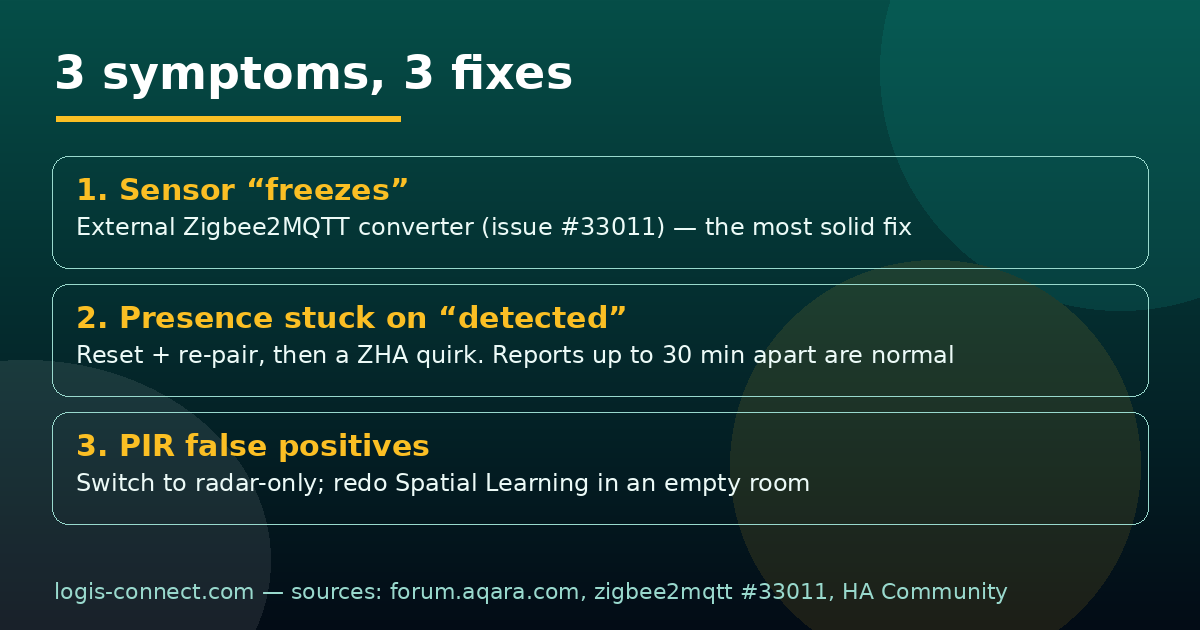
| Sensor frozen after a few hours, LED and button dead | Firmware 6542 regression: the device stops publishing reports | External Zigbee2MQTT converter (issue #33011) or ZHA quirk | 20-40 min |
| Presence stuck on “detected” in an empty room | State never cleared + a flawed room-learning pass | Reset then re-pair; redo Spatial Learning in an empty room | 10-20 min |
| PIR false positives, then mmWave false negatives | “PIR + radar” mode in a draughty room or one with glass | Switch to radar-only mode | 5 min |
| Sensor “offline” in Thread mode after a few days | Hub M3 not holding its Thread border router role | Switch to Zigbee, or stabilise the Thread network | 20-60 min |
| Reports spaced 5 to 30 minutes apart | Normal behaviour, even after the fix | Nothing to repair — know it so you don’t hunt a fault | — |
Symptom 1 — the sensor “freezes” after a few hours
The exact signs that confirm the diagnosis
The clearest account comes from a ZHA user on a Home Assistant Connect ZBT-2 dongle who captured the Zigbee traffic (Aqara forum, 24-25 September 2026). For him, after the move to 6542:
- reports from
0xFCC0 / 0x00F7and0xFCC0 / 0x00DFstop dead — those are the attributes carrying PIR/presence state; - the periodic
0x000Atime request goes silent, a sign the device’s protocol stack is no longer running normally; - the LED no longer reacts to button presses, and the reboot command does nothing.
If you recognise at least three of those signs, you are in this case and not in a radio range or battery problem. Moving the sensor or swapping the battery will not help: that is not where the fault is.
Why the device still looks “online”
This is the part that misleads everyone. A device that has stopped publishing should show as offline in Home Assistant. It does not: the FP300 stays readable. Query an attribute explicitly and it answers. The network therefore sees it as alive, the entity never flips to unavailable, and you spend hours looking in the wrong place. The practical rule: a presence sensor whose automations stopped firing while it still answers queries is a frozen sensor, not an out-of-range one.
The technical cause: a Trust Center key exchange that never completes
The same user’s capture shows something deeper than the missing reports: TC_RESPONDED_TO_KEY_REQUEST appears, but TC_REQUESTER_VERIFY_KEY_SUCCESS never follows. In other words, the key exchange with the Trust Center — the authentication mechanism of a Zigbee network — starts coordinator-side, but the device-side verification never completes. That explains something previously unexplained: why 6542 broke non-Aqara coordinators. The maintainer of the Hubitat Zigbee driver (ogiewon) put it plainly on 27 September 2026: “when that firmware was first released, it caused problems with all non-Aqara Zigbee coordinators… the 6542 firmware took us quite a while to sort out a reliable solution.” Translation: the Aqara coordinator tolerates the flaw, third-party ones do not. That is exactly why every fix below lives on the third-party platform side.
Symptom 2 — presence stays stuck on “detected”
Reset and re-pair: the only app-side remedy
Before reaching for the toolbox, know what you can actually do from the Aqara app: a reset followed by re-pairing. It is the only user action that clears the state, and it sometimes holds for just a few hours if you stay on 6542 without a fix. The sequence that works in the threads: remove the device from every controller, reset it (hold the button over 5 seconds; ten short presses for a full factory reset), then re-pair — after deleting the leftover entry still visible in the app. A ghost device is often still listed and makes the new pairing fail with a misleading error.
The Spatial Learning trap in Thread/Matter
The FP300 learns the geometry of the room so it can tell a sofa apart from a walkway. Learning is triggered from the app or the ecosystem, and it suffers from one simple misunderstanding: you have to leave the room while it runs. Sitting next to the sensor during learning teaches it that the room is permanently occupied by a motionless person. The result is a presence state nailed to “detected” that you will later blame on a bug, when it is a direct consequence of where you were standing. If in doubt, redo the learning in an empty room — door closed, nobody inside.
Reports 5 to 30 minutes apart: normal or not?
Reading through the threads, this is the most common confusion. The FP300 does not send a message on every state change: on battery it batches and it spaces. Even among users whose fix works, messages can go missing for 5 minutes, sometimes up to 30, and a “detected” state can linger 10 minutes too long. That is normal behaviour for a battery-powered sensor, not a fault. We saw slim971 confirm it on issue #33011 on 27 September 2026, with the patch applied. Unpleasant corollary: if your automations depend on a light turning off quickly after you leave, a battery sensor may simply not be the right choice — that is a trade-off, not a bug.
Symptom 3 — PIR false positives and mmWave false negatives
Here again, half the “faults” are settings. One user summed it up bluntly in February 2026: “after the latest firmware update… I get constant false positives on the PIR and false negatives on the mmwave sensor. Basically, my device is useless now.” The hardware is not to blame.
Understanding the fusion: the PIR wakes the radar, it does not detect for it
In “PIR + mmWave” mode the PIR does not confirm presence: it wakes the radar, which then validates. That explanation, given in detail on the Aqara forum on 24 September 2026, changes the whole diagnosis. If your sensor triggers for no reason, the culprit is almost always the PIR: a curtain moving, a radiator heating up, a cat, a draught under a door. The radar does not get that wrong — it is the radar that produces the false negatives when the PIR failed to wake it at the right moment.
Switch to radar-only in exposed rooms
In a room with draughts, a radiator, or a large window that keeps shifting the light, the first thing to try is radar-only mode. You lose a little reaction speed on the very first movement; you gain a room that no longer switches the light on by itself. It is also the setting to use in hallways, where the PIR fires at the slightest brush past.
Room size and the advanced settings
The sensor can detect a motionless person reliably up to roughly 3-4 metres — beyond that, only movement. If you need still presence in a large living room, place it near the zone you care about (the sofa, say) rather than trying to tune a range it does not have. And check the declared room size: set it too large and the radar starts reading movement in the hallway next door as occupancy.
The fixes that actually work
Zigbee2MQTT: the external converter from issue #33011
This is the most solid fix available today, and it has been verified twice over. Issue Koenkk/zigbee2mqtt #33011, opened on 2 September 2026, contains an external converter posted by its author. The procedure:
- Open Zigbee2MQTT → Settings → Development Console → External Converters.
- Paste the converter code published in issue #33011.
- Restart Home Assistant (not just Zigbee2MQTT) so the converter loads.
- Re-pair or reconfigure the FP300.
The author validated the result on four units, and an independent user (Crashandru) confirmed on 19 September 2026: “I used the code above and pasted it directly into the dashboard under Zigbee2MQTT in Settings ➔ Development Console ➔ External Converters. Restarting Home Assistant and reconfiguring the FP300 worked for me.” Two independent confirmations is the strongest evidence we have on this story. One caveat: the spaced-out reporting described above persists after the patch.
ZHA: the community quirk, and the missing presence entity
Under ZHA the mechanism differs but the outcome is the same: without a quirk, the FP300 exposed by your coordinator does not always show up with its presence entity. A community quirk has been circulating since 5 December 2025 (shared on the Aqara forum) and part of the ZHA user base has relied on it since. It is less comfortable than Zigbee2MQTT — you have to drop it into your quirks folder, usually through a Docker volume or a custom path — but the result is there. ZHA’s official documentation covers custom quirks in detail; we will not paraphrase it here.
Homey, Hubitat and the Aqara Hub M3: status as of 28 September 2026
The situation is uneven, which is useful to know when picking an ecosystem. Here is the real state, compiled from the 24-27 September 2026 threads:
| Platform | Status on 28/09/2026 | What you can do |
|---|---|---|
| Zigbee2MQTT | Community fix verified on 4 units plus 1 independent user | Load the external converter from issue #33011 |
| ZHA | Requires a community quirk; presence entity sometimes missing without it | Install the quirk, restart ZHA |
| Hubitat | Driver rewritten by its maintainer after the 6542 damage | Update the community driver |
| Homey | Active threads, supported over Zigbee | Wait for or apply the app fix, otherwise use Z2M via Home Assistant |
| Hub M3 + Aqara app | No regression of this kind reported in Zigbee on an Aqara hub | Stay on the Aqara hub if you do not run Home Assistant |
What to take from that table: if you depend on an Aqara hub, you are paradoxically the least affected. Firmware 6542 mainly breaks third-party coordinators — the flip side of the FP300’s “no hub required” promise.
If you are running Thread/Matter
Sensors going offline after a few days (Hub M3 + Home Assistant)
This scenario is documented on the Aqara forum: a thread opened on 10 December 2025 and followed through to 24 April 2026 describes sensors dropping offline after a few days on a Hub M3 with Home Assistant. There is no known definitive fix to date. Our reading — treat it as a hypothesis, not a fact — is that the Hub M3 does not hold its Thread border router role continuously, so a sensor reboots and never rejoins its network. That is consistent with the hub-update advice: a hub in the middle of an update routes nothing while it runs.
Presence stuck for hours: what is documented
The busiest thread on the forum about this (94 messages, since 15 November 2025) describes presence sitting on “on” for up to twelve hours with Matter firmware 1.0.7.3. No official fix was added there. If you are in that situation, our position is simple: this is not something you will fix with a setting. Test the switch to Zigbee (see below) before considering a return or an alternative.
Switching from Thread to Zigbee — and back
“Firmware transferring 0%”: the reset that unblocks it
Thread documented between 22 January and 2 February 2026: the Thread → Zigbee switch hangs at “Firmware transferring 0%” with Matter firmware 1.1.0.1. The unblock that worked for the thread’s author: a full reset — hold the button over 5 seconds, or ten short presses for a factory reset — then start the operation again, explicitly choosing Zigbee. The important part is the order: reset before retrying, not during.
The Aqara app must be signed in to your account
A German thread (community.simon42.com), resolved on 26 February 2026, points at a silly but common trap: if you are not signed in to your account in the Aqara app, the sensor is never detected. You then hunt for a network or battery problem while the real cause is a guest session. Check that first, before any reset.
Updating the FP300 firmware without breaking your setup
Zigbee firmware updates do not come from the Aqara app
This is a FP300 quirk that catches people out: over Zigbee, the firmware update goes through Home Assistant / Zigbee2MQTT, not the Aqara app. If you are waiting for a notification in the app to update your Zigbee sensor, you will wait a long time. Over Matter/Thread the path is the ecosystem’s own (an OTA update via the Matter controller).
Should you install 6542? Our position
If you are still on an earlier version and everything works: do not force the move to 6542 until you have the external converter or the quirk ready to load. The rule is simple and we stand by it: an update that removes a working feature is not an update you install on principle. If you are already on 6542 and the sensor freezes, apply the fix first — do not try another update hoping the next one repairs the previous one.
Rollback: to investigate
We found no documented procedure to roll back a FP300 Zigbee firmware. The reports mention resets, re-pairing and reloading converters — never a return to 5841. We are listing it as “to investigate” rather than inventing a method: this is the kind of operation that leaves a sensor unusable when improvised.
Buy the FP300 or wait?
Six months after the hype, it is a fair question. Here is our take, based on what we read and cross-checked — not on a test we did not run.
Strengths
- PIR and mmWave radar in one housing
- Zigbee and Matter/Thread: rare and versatile
- Still-presence detection up to 3-4 m
- Battery-powered, no ceiling cable to run
- With the external converter under Z2M it becomes reliable again
Real limitations
- 6542 regression unfixed by Aqara since June 2026
- Spaced reporting (5 to 30 min) even after the fix
- PIR false positives in draughty rooms
- Thread → Zigbee switch is painful
- Aqara support is silent outside their app and hub
Our recommendation by situation
- You run Home Assistant (Z2M or ZHA): the FP300 remains a good sensor, provided you accept loading and maintaining a community fix. It is an enthusiast’s purchase, not plug-and-play.
- You are on an Aqara hub: you are in the least exposed setup. The product delivers what it promises.
- You want plug-and-play with no tinkering: wait. A regression unfixed for four months does not inspire confidence, and there are plenty of native-Zigbee alternatives.
- You need a light off quickly after you leave: look elsewhere. Report batching is structural on this kind of battery sensor.
Troubleshooting checklist, in order
- Check the Aqara app is signed in to your account (trap number one).
- Confirm the firmware version: if you are on Zigbee 0.0.0_6542, you are inside the regression.
- Identify the exact symptom: frozen (LED/button dead), stuck presence, or false positives. Each has its own fix.
- If frozen under Zigbee2MQTT: load the external converter from issue #33011, restart Home Assistant, re-pair.
- If frozen under ZHA: install the quirk, restart ZHA, check the presence entity is exposed.
- If presence is stuck: reset (5 s, or ten short presses), remove the leftover entry in the app, re-pair, then redo room learning in an empty room.
- If you get false positives: switch to radar-only and reduce the declared room size.
- If you are on Thread/Matter and the sensor disappears: test the switch to Zigbee (reset then choose Zigbee), or stabilise your Thread network.
- If everything works but reports lag: normal up to 30 minutes. Do not hunt a fault.
- If nothing changes after all that: no official fix existed on 28 September 2026. Open a thread on the Aqara forum quoting your firmware and coordinator — that is what moves this forward.
FAQ: the Aqara FP300 not working
Does the FP300 work without an Aqara hub?
Yes, with caveats that matter. Over Zigbee and Matter/Thread the FP300 pairs directly with a third-party coordinator: a Zigbee dongle on Home Assistant, a Homey or Hubitat hub. Advanced configuration (zones, fine tuning) is more limited outside the Aqara app though, and third-party coordinators are precisely where the 6542 regression does the most damage. Without an Aqara hub, budget for a community fix you have to maintain.
Thread or Zigbee in 2026?
Zigbee, until the 6542 regression is fixed on Aqara’s side. It is counter-intuitive — Thread is the newer protocol — but the facts are on the table: verified community fixes exist on the Zigbee side (Zigbee2MQTT, ZHA), whereas the Thread/Matter problems (presence stuck for up to twelve hours) have no documented solution. Pick Zigbee if you want to be able to repair it.
Why does my presence never drop back from “detected”?
Three possible causes, in order of likelihood: room learning (Spatial Learning) ran with someone in the room, so the sensor believes the zone is permanently occupied; the firmware never cleared the state (the 6542 regression), in which case only a reset followed by re-pairing clears it; or a reflective object (mirror, glazing, fan) sits in the radar’s field and mimics still presence. Redo the learning in an empty room first, door closed.
Do I need a quirk to use the FP300 with ZHA?
In a number of setups, yes. Without a quirk the device may be recognised without exposing its presence entity — you see it in ZHA but cannot use it in automations. A community quirk has circulated since 5 December 2025 and fixes that. Under Zigbee2MQTT the equivalent is the external converter from issue #33011.
Has the official Aqara fix shipped?
No. Aqara replied publicly on 1 June 2026 that it would look into the issue (“we’ll look into this issue shortly”), and no fix was published as of 28 September 2026 — nearly four months later. That is why every fix in this article comes from the community rather than the manufacturer.
Can I roll back to the previous firmware?
No documented rollback procedure for the FP300 Zigbee firmware exists as far as we know. We are listing it as “to investigate” rather than offering an improvised method: a failed rollback can leave a sensor unusable, and the gain would be small since the community fixes work on 6542.
How long does the FP300 battery last?
It depends directly on reporting frequency. That is exactly why the sensor spaces its messages: publishing a state every few seconds would drain the battery in weeks. If you want maximum runtime, leave the default batching and accept a few minutes’ delay before presence clears. No reliable figure is documented by Aqara to date.
Is the FP300 HomeKit compatible?
Not directly. The FP300 talks Zigbee or Matter/Thread; it reaches ecosystems through Matter when in Thread mode, which includes Apple Home via a Matter home. There is no native HomeKit mode outside Matter. Over Zigbee you must go through a gateway (Home Assistant, Homey) to expose it to HomeKit.
Why is my FP300 “online” when it has stopped reacting?
Because the sensor stays readable. That is the signature of the 6542 regression: the device answers when explicitly queried but no longer emits its spontaneous reports. So do not diagnose on the “online”/”offline” state — check whether your automations fire, and whether the LED reacts to a button press.
Is the firmware updated from the Aqara app?
Not over Zigbee. It is a FP300 quirk that surprises many users: the Zigbee firmware update runs from Home Assistant or Zigbee2MQTT, not the Aqara app. In Matter/Thread mode the update goes through the ecosystem (OTA via the Matter controller). If you are waiting for an app notification for a Zigbee sensor, it will not arrive.
Does the FP300 detect a person sitting still?
Yes, up to roughly 3 to 4 metres in good conditions, thanks to the mmWave radar. Beyond that distance still-presence detection becomes unreliable and only movement counts — the PIR takes over there. This is a physical constraint of mmWave, not an implementation flaw: in a large living room, place the sensor near the zone where you need dependable still presence.
Should I install firmware 6542?
If your sensor runs an earlier version, no: do not force the move until you have the external converter (Zigbee2MQTT) or the quirk (ZHA) ready to load. If you are already on 6542, apply the community fix rather than hoping for a corrective update from Aqara.
If you are building a home presence setup, our other guides complete this one: the 2026 comparison of presence sensors and motion detectors, the FP400 setup troubleshooting guide, our Matter connection problems guide and the Matter/Thread firmware update guide.
About the author: Alex Mercer, tech and smart-home writer at Logis-Connect. Since 2020 Alex has installed and tested dozens of connected products every year (Matter, Thread, Zigbee, Z-Wave) in a real home, with documented protocols and published measurements. See his other guides.
Last updated: 29 September 2026 — sources: official Aqara forum (t/299625, t/338928, t/338640, t/143174, t/166018, t/215588, t/161835, t/188762), zigbee2mqtt issue #33011 and its comments, community.home-assistant.io #986732, community.simon42.com #79754, statements by the Hubitat Zigbee driver maintainer.
* Disclosure: some links in this article are affiliate links. If you buy through them we may earn a commission, at no extra cost to you. Our tests and rankings stay independent and are never influenced by partners.