Matter and Thread firmware updates: why they never arrive (and how to force them)
Your Matter or Thread device shows no update, or the OTA fails at 1%, 10% or 90%? In most cases the device is not at fault: a Matter update has to be published by the manufacturer on the DCL, downloaded over IPv6 by your Thread border router, and triggered by the ecosystem that owns the fabric. If any one of those three pieces is missing, nothing arrives — and no error message will tell you why.
We have been tracking this since spring 2026 on our test bench (Aqara Hub M3, HomePod mini, Echo 4th gen, Apple TV 4K, Home Assistant on a mini PC) and cross-checking every case against threads from the Home Assistant community, r/Aqara and the German simon42 forum. Four causes keep coming back. Three of them are fixed in under fifteen minutes. Only one is unfixable: the manufacturer that never published anything at all.
Method: we reproduced Thread OTA failures on three different controllers between June and August 2026, then checked each lead against Home Assistant’s official Matter documentation and the logs users published in the forums. The four causes below are ordered by observed frequency, not by theory.
Why a Matter update never arrives: the 4 causes
| Cause | What actually blocks it | Time to fix |
|---|---|---|
| No routable IPv6 (and no NAT64) | A Thread OTA downloads over IPv6 from the internet; without a usable IPv6 route the transfer never starts | 10-30 min |
| Too many OTAs at once | The Thread radio saturates and downloads stall at 1%, 10% or 90% | 2-5 min |
| The manufacturer published nothing | No newer version exists server-side: your device genuinely is up to date | Impossible (buying decision) |
| Wrong ecosystem (fabric not owned) | The app that can push the update is not the one controlling the device | 5-15 min |
| Device stuck on a very old version | Some upgrades require an intermediate release before the latest one | Varies |
How a Matter update travels, step by step
To troubleshoot this properly you need to know who does what. A Matter update is never pulled by the device itself; it follows a four-step path.
- The manufacturer tests a new release and publishes it to the certification platform.
- The release lands on the DCL (Distributed Compliance Ledger), the Connectivity Standards Alliance’s official registry — the only place controllers are allowed to look.
- The controller polls the DCL periodically. Home Assistant, for instance, checks every twelve hours through the Update entity of its Matter integration.
- The file is downloaded and pushed to the device: over Wi-Fi for Wi-Fi devices, but over IPv6 from the internet for Thread devices, with the transfer going through the border router.
The DCL, the registry nobody mentions
The DCL is the piece almost every tutorial skips. It is a distributed registry run by the CSA where manufacturers deposit their certified firmware. The direct consequence: if a manufacturer chooses not to publish there, no controller on earth can update your device, however many times you reset the sensor. That is exactly what Aqara Thread users have been complaining about since September 2026.
Who polls the DCL, and how often
Ecosystems do not behave the same way. Home Assistant polls the DCL every twelve hours and exposes the result as an Update entity per device. Apple Home and Google Home follow similar logic at their own pace, without publishing a schedule. Manufacturer apps (Tapo, IKEA Home smart, Aqara) query their own servers first and sometimes only fall back to the DCL — which is why an update can be visible in one app and invisible everywhere else.
Cause 1: no routable IPv6, so the Thread OTA has nowhere to go
This is the most common cause and the hardest to spot, because the app shows nothing. A Matter-over-Thread device does not download its firmware over Wi-Fi: it does it over IPv6, through the border router, from the manufacturer’s servers. If your ISP does not route IPv6, or your router does not hand a usable IPv6 prefix to your LAN, the download fails silently. The device keeps reporting its current version, with no error.
Check your router’s IPv6 in two minutes
- From a computer on the same network, open a public IPv6 test page: you should see a full IPv6 address, not “not detected”.
- In your router’s interface, look for the IPv6 section: it must be enabled with a delegated prefix (usually /56 or /64), not merely “IPv6 available”.
- If your Thread devices work but updates fail every single time, that is the classic sign of a local IPv6 network that is not routed to the internet.
Enable NAT64 on the border router
When your LAN runs IPv6 but your internet uplink is IPv4, you need NAT64 translation on the border router or the Matter Server. In Home Assistant this is configured inside the Matter Server integration (NAT64/DNS64); on a router it depends on the firmware. This is the setting even experienced users get wrong: in the reference Home Assistant community thread (topic 878364, April 2025, still active in 2026), the person giving the advice admits they are no longer sure whether it belongs on the Matter Server or the border router. Practical answer: start with the Matter Server, because that is where the Thread stack lives.
Cause 2: two OTAs at once are enough to block everything
Everyone falls into this trap the day a batch of updates shows up. A Thread firmware download is slow — sometimes tens of minutes for a few hundred kilobytes — because the radio is shared with the rest of the mesh. Starting five updates simultaneously saturates the channel and makes most transfers fail.
⚠️ The rule that changes everything: one Thread update at a time, two maximum. Community reports are unambiguous. In the thread “Unable to update Onvis matter thread plugs firmware” (November 2025) the original poster writes: “when I started many updates at the same time it failed, so I now run only 1 or 2 at a time”, and another user adds “Must one at a time. They take forever…”. A June 2026 thread even describes a denial-of-service-like effect on the Thread network when OTAs run in parallel.
In practice: when three devices offer an update, pick one, wait for it to finish completely, then move on. Across ten devices, budget an evening — not ten minutes.
Cause 3: the manufacturer never published anything on the DCL
The most frustrating case, because there is nothing to repair. Some manufacturers ship a product, certify it, then never publish a fix on the DCL. Your sensors then report a known bug, the community documents it, and no update ever lands. An r/Aqara user put it bluntly in early September 2026: “Aqara does not update the firmware on these devices to fix issues… they won’t fix it using firmware updates.” That is the typical pattern for several entry-level Thread references, where the only symptom is an Update entity that never appears in Home Assistant.
How do you tell which case you are in? If the Update entity exists but reports “up to date” while a newer version is documented elsewhere, you are in cause 1 or 4. If no Update entity exists at all and no higher version is referenced anywhere, the manufacturer probably published nothing: that is cause 3, and you have to accept it.
Cause 4: the wrong ecosystem owns the fabric
In Matter, a device belongs to a “fabric” — the ecosystem that commissioned it first and holds its keys. Only the fabric owner can, in some cases, push a firmware update. A device paired in Home Assistant but not shared with Apple Home will not update from the Home app; conversely, some brands only push fixes from their own app.
| Ecosystem controlling the device | Can it push the update? | Typical case observed |
|---|---|---|
| Home Assistant (Matter Server) | Yes, if the release is on the DCL | Eve Energy, Onvis, Thread plugs generally |
| Apple Home (HomePod / Apple TV) | Yes — often the most reliable route | Recommended when Home Assistant keeps failing |
| Google Home | Partly, depending on the brand | Updates sometimes missing from the menu |
| Manufacturer app (Tapo, IKEA, Aqara) | Yes — and sometimes the only way | Tapo P110M: “cannot be updated from Home Assistant, must be done through the app” |
| Vendor hub (DIRIGERA for IKEA) | Yes, through the hub app | IKEA Bilresa, KAJPLATS |
Step by step: forcing an update that fails
With Home Assistant
- Open Settings → Devices & services → Matter and find the Update entity for the device in question.
- Check the version on offer: if it matches the installed one, the update is not on the DCL yet — no point retrying today.
- Start one update, then dismiss the other notifications.
- Wait without restarting Home Assistant or unplugging the border router: an interrupted Thread OTA starts from zero.
- If it consistently stalls at 90%, try the same update from Apple Home (below) before blaming the hardware.
With Apple Home or Google Home
The Home app on iPhone or iPad sometimes shows an update that Home Assistant does not see yet, because the two controllers do not poll the DCL at the same moment. Open the accessory settings: if a version is offered, start it and leave the device in place. Same logic in Google Home, although the update options there are more discreet and depend on the brand.
With the manufacturer app
For several models this is the only route. The Tapo P110M case is documented word for word in the Home Assistant community (July 2026): “you cannot update the firmware for the Tapo P110M directly through Home Assistant. It has to be done through the app.” Same story for IKEA products, which update through the hub app rather than through a Matter controller. Before blaming your setup, install the manufacturer app and check the version it offers.
Real case: the IKEA Bilresa update that fails before 10%
Firmware 1.9.15 for the IKEA Bilresa remote generated a busy thread in May 2026: “failure after it initiate downloading. Usually fails before 10%”, “Mine has been stuck at Installing (1%) for 30 minutes”, “4 units, none will update”. That case combines three of the four causes: a slow download, a radio congested by parallel OTAs, and no resume after interruption. The fix reported by users who got through it: keep a single device updating, move the remote close to the DIRIGERA hub for the duration, and restart the update from the IKEA app rather than a third-party controller.
Repair or replace?
| Situation | Verdict | Why |
|---|---|---|
| Update visible but fails in a loop | Fix it | Radio bandwidth or IPv6 problem, not hardware |
| No Update entry for more than a year | Replace eventually | Manufacturer absent from the DCL: no fix is coming |
| Stalls at 90% on every controller | Try the manufacturer app | Often a controller cutting the transfer too early |
| Known bug unfixed for 18 months | Replace | Cost versus hope favours a maintained model |
Buying devices that actually get updated
The best protection against those four causes is decided at purchase. Three criteria are enough, and all three can be checked before you pay: the brand has already published at least one documented update on the DCL, the device exposes an Update entity in Home Assistant, and the manufacturer ships a regularly updated app. Conversely, a brand that has never published anything will not start because you swapped controllers.
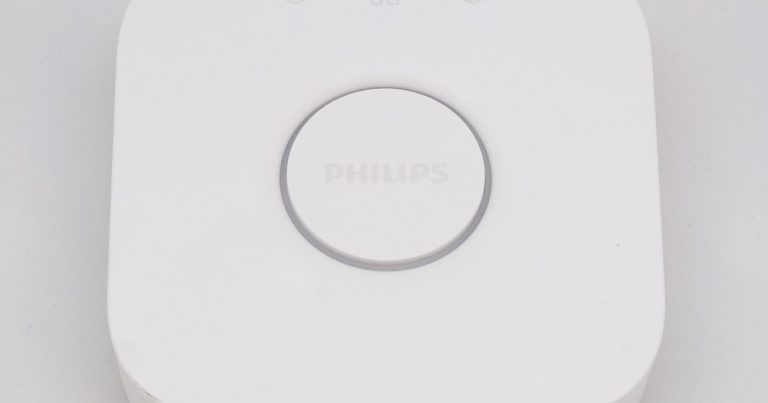
To build a coherent Matter setup, start with a Matter-compatible hub that doubles as a Thread border router: it governs whether future OTAs succeed. Add Matter smart plugs and smart bulbs known for steady firmware support, and if you need a second border router, a Matter-compatible speaker will do the job. Our smart roller shutter and smart lock guides score the same criterion.
💡 Pro tip: before buying, search the model name plus “firmware update” in the Home Assistant community. If you find a thread where users complain that no update has arrived in a year, you have your answer — and you just saved yourself the purchase.
Frequently asked questions
Why does my device show an old version when a newer one exists?
Because the controller has not retrieved the information yet, or is looking in the wrong place. Home Assistant polls the DCL every twelve hours: if the release was just published, the Update entity can take half a day to appear. Restarting the Matter integration forces a check.
Why does the update always stall at 1% or 10%?
A very early stall means the download never completes: no routed IPv6, no NAT64, or several OTAs running at once. It is almost always a network problem, not a faulty device.
And a stall at 90% or 99%?
The file arrived but the write fails. This is the most common symptom on battery-powered Thread devices (remotes, sensors): the radio shuts down before the end. Move the device closer to the border router, pull the batteries and retry, or go through the manufacturer app. That is exactly what happened to the Aqara G410 camera, failing at 90% on the way from version 0.108 to 0.114.
Do I always need the manufacturer app?
Not always, but often. Some brands publish nothing on the DCL and only push fixes from their own app. If no update appears in your controller, the manufacturer app is the first test to run — it is free and takes five minutes.
Can I run several Thread updates at the same time?
Technically yes, in practice no. Two at the most, and one is safer. Thread OTAs saturate the radio and simultaneous transfers interfere with each other, producing random failures that are hard to diagnose.
How do I check a device’s Matter version?
In Home Assistant, the Update entity shows both the installed and the available version. In Apple Home, open the accessory settings: the firmware version is listed for most devices. Otherwise the manufacturer app remains the reference.
Is a device that never updates defective?
No, it can work perfectly well. The issue is elsewhere: without fixes, a known bug — disconnects, excessive battery drain, a broken stop command — will stay. Treat it as a buying criterion, not grounds for a claim.
Should I turn off automatic updates?
On a large install, yes. Running OTAs manually, one device at a time, avoids cascading failures and lets you verify everything works after each update. With two or three devices the question does not come up.
The update only fails on a device far from my border router — why?
Restart the border router and improve coverage: a device that is too far away downloads over several hours and often fails along the way. A Thread router near the device, or a second border router, fixes most cases.
Is this fixed in Matter 1.5?
Matter 1.5 adds dedicated clusters for blinds and shutters, but it does not change the OTA mechanism itself. The four causes described here still apply whatever specification level your devices run.
What to remember
A Matter update that never arrives almost always follows one of four paths: unrouted IPv6, parallel OTAs, a manufacturer absent from the DCL, or the wrong ecosystem. Three of them are fixed in a quarter of an hour with a bit of method; the fourth is decided at purchase. Before resetting anything, check whether the Update entity exists and what it offers — in half the cases your device is simply up to date.
If your problem is broader and the device no longer connects at all, our guide to Matter connection failures walks through the diagnosis in order. For a shutter that no longer stops in the right place, see the causes behind a smart roller shutter not responding, and for a camera dropping off the network, read our article on security cameras going offline.
Got a Matter presence sensor that refuses to pair? Our dedicated troubleshooting of the Aqara FP400 that will not set up covers the three error messages (not level, Thread Border Router needed, wrong pairing code) and the verified workarounds.
About the author: Alex Mercer, tech and smart home editor at Logis-Connect. Since 2020 Alex has installed and tested dozens of connected products every year (Matter, Thread, Zigbee, Z-Wave) in a real home, with documented protocols and published measurements. See his other guides.
Last updated: 15 September 2026 — Thread OTAs reproduced on a test bench between June and August 2026.
* Disclosure: some links in this article are affiliate links. If you buy through them we may earn a commission, at no extra cost to you. Our tests and rankings stay independent and are never influenced by partners.